This document introduces how to export and import the settings of a virtual disk.
Export Disk Settings
To export the settings of a virtual disk, click to highlight the disk entry in the disk list, and then click on the  icon button in the command toolbar. Then you will be asked to enter the name of the file to which the settings are exported. This file is called a virtual disk descriptor file.
Import Disk Settings
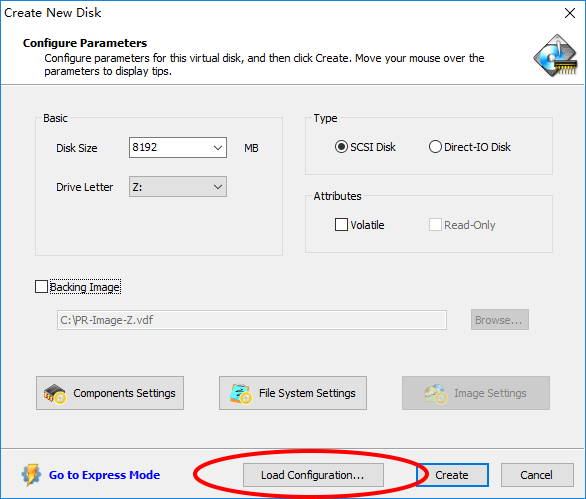
When you create a new virtual disk or edit the disk settings, you are able to import the settings from a virtual disk descriptor file (*.vdd) or a VSuite Ramdisk Configuration File (*.vrc). Click Load Configuration..., then choose the file you want to import.